

Available updates for vistrax
VERSION 3.6
Keep your vistrax installation up to date. You can download the latest version here. Please note that you must have a valid license covering the release date in order to use the software.
Trial Version
Full Version
Release notes vistrax version 3.6.26252.1524, published 09/09/2026
In order to use version 3.0 and higher, you need a valid server licence. Otherwise you can only log in to the web configuration in the backend, provided the access has not been deactivated. You can store the server licence there. Alternatively, you can use the vistrax Config application, which also allows you to adjust the settings of the vistrax services. Afterwards, restart all vistrax services. vistrax Config is automatically installed with vistrax Server. Previous licences of version 2.x are no longer supported.
A database migration is necessary in case you are updating from a version prior to 2.x or 3.2. First stop all vistrax services and then backup your current vistrax data in the Microsoft SQL Server. Perform the migration using vistrax Admin and then restart all vistrax services.
You are welcome to commission us with the migration. We can also convert your version 2.x licences into version 3.x licences. Please contact our sales team.
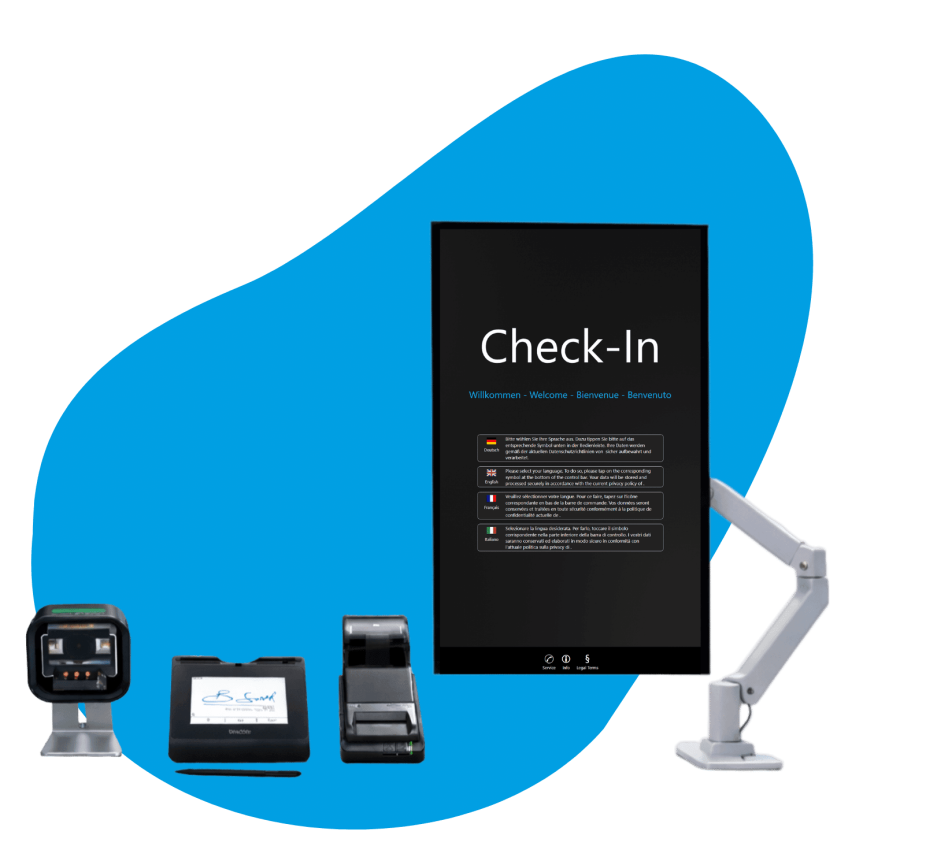
With version 3.6, we introduce the vistrax Kiosk application. Kiosk enables both pre-registered and walk-in visitors to independently check in and check out at any gate. Visitor documents are printed automatically. Signatures can be captured directly on the touch screen or, in a legally compliant manner, using a signature pad. Visitors can either register directly using a code received via email or enter their details themselves through the self-registration process.
With the introduction of vistrax Kiosk, the configuration location for vistrax Welcome has changed. The affected registry keys are NOT migrated automatically, but they can be moved manually. You can find instructions for this in the installation guide. Alternatively, our support team will be happy to assist you with the setup.
Changes and new features in vistrax Client:
- Support for custom graphics and logos on SignPad screens has been added.
- Added the option to automatically delete personal data after 180 and 270 days.
- Dark-mode compatibility has been improved in newer versions of Windows.
Changes and new features in vistrax Setup:
- Hardware drivers and runtime environment updated.
- Fixed a driver setup error in the custom installation.
Changes and new features in vistrax Config:
- The function and schedule for database maintenance and cleanup can be configured.
Changes and new features in vistrax Server:
- Translations for French and Italian added, particularly master data and email templates.
- Support for TCP/IPv6 and binding of the service to multiple IP addresses has been added.
- Stabilize the service during 24/7 operation (memory usage, CPU load).
- Prevent service crashes caused by SEH exceptions or endpoint security software.
- Added a service for daily database maintenance and cleanup.
Changes and new features in vistrax Admin:
- Support for running with minimal MSSQL privileges has been added.
- An issue occurring during the deletion of devices has been resolved.
- A function for manually database maintenance and cleanup has been added.
- Added the option to automatically delete personal data of mandators after 180 and 270 days.
- Downloads for signpad and barcode scanner drivers, as well as the vistrax Welcome backgrounds (Addon #1).
Changes and new features in vistrax Web:
- UI/UX improved.
- Updated the entry of kiosk-related master data.
- Search fields can now be reset with the click of a button.
- Input for visit remarks and visitor notes has been added.
- Paging function now allows jumping to the start or to the end of a list.
- An issue occurring during the editing of devices in Web-Config has been fixed.
- Accidental logout on manual browser refresh in Web-Config has been fixed.
- Added the option to automatically delete personal data after 180 and 270 days.
Changes and new features in vistrax SelfInput App:
- An issue regarding the incorrect saving of photos transferred to vistrax Server has been resolved.
- Support has been expanded to include latest device classes and operating systems.
Changes and new features in vistrax Welcome:
- Configuration storage location changed from HKCU to HKLM in the Registry — manual migration required (see Setup Help) !
Changes and new features in vistrax Kiosk:
- Operation requires a dedicated Windows PC with a touch screen, as well as a permanent network connection to vistrax Server with a suitable Kiosk feature license.
- Available in German, English, French, and Italian – additional languages will be added in future updates.
- The checklist functionality is also available in Kiosk.
- The selection of companies can be restricted for data protection reasons.
- If no input is detected, the screen automatically returns to the start view and deletes all previously entered data.
- In the event of a temporary network outage, Kiosk displays a warning message that cannot be bypassed. Operation is resumed automatically once the connection is restored.
- Hosts are informed about visitor arrivals via automatically generated email notifications.
- Hosts or department managers can optionally be notified via CTI phone calls.
- Running Kiosk in parallel with another vistrax application on the same PC is not supported.
- Configuration:
- Screen selection and orientation.
- Welcome message, name, logo, service phone number, and website of the company / organization.
- The corporate design can be customized (font, font color, font weight, background color, and background image).
- Enable self-registration.
- Enable virtual on-screen keyboard (in the visitor’s language).
- Selection of a PDF document containing legal terms and conditions.
- Specification of a website (e.g. company homepage) that can optionally be displayed in an integrated browser.
- Settings for printers, barcode scanners and signature pads.